
Promo

Microsoft


The essentials to get it all done. Office Home 2024 is for students and families who want classic Office apps including Word, Excel and PowerPoint for Windows 11 and Windows 10. A one-time purchase installed on one PC or Mac for use at home or school.
Product Overview
Microsoft Office Home 2024 ESD offers a one-time purchase for installation on a single PC or Mac, including fully installed versions of Word, Excel, PowerPoint, and OneNote. Compatible with Windows 10, Windows 11, and macOS, it provides classic, reliable productivity tools without a subscription. Ideal for home users and students, it ensures lifetime access and offline usability with a simple electronic download license key
Requirements
Processor
•Windows 11 or Windows 10 with 1.6 GHz, 2-core processor/recent macOS
Operating system
•Windows 11 or Windows 10 for PC; Mac OS for Mac
Memory
•4 GB (64-bit), 2 GB (32-bit) RAM for PC; 4 GB RAM for Mac
Hard disk space
•4 GB available disk space for PC, 10 GB for Mac
Display
•1024 x 768 resolution for PC, 1280 x 800 for Mac
Graphics
•DirectX 10 graphics card for graphics hardware acceleration for PC
Additional system requirements
•Internet access
•Microsoft account

Product Overview
Microsoft Outlook 2007 is a robust email client and personal information manager that enhances productivity with features like drag-and-drop calendar scheduling and improved search functionality. It offers enhanced security settings, including warnings for suspicious links and images, and integrates seamlessly with other Microsoft Office applications. Although it is no longer supported by Microsoft, Outlook 2007 remains a capable tool for managing emails, calendars, and contacts, though users are encouraged to upgrade to newer versions for security and feature updates. Share Export Rewrite
Grant Access To
Word Processor: Basic document creation and editing.
Spreadsheet: Simple spreadsheet management.
Database: Basic database management.
Calendar: Personal calendar with reminders.
Dictionary: Integrated dictionary for word definitions.
Trail To
Word 2007: Advanced word processing.
Excel 2007: Comprehensive spreadsheet management.
PowerPoint 2007: Presentation creation.
Outlook 2007: Email client with calendar and contact management.
Publisher 2007: Desktop publishing software.
Trial Length
60-day trial period.
reccomended Requirements
Operating System: Works 8.5 is compatible with Windows 98 SE, Windows Me, Windows 2000, Windows XP, Windows Vista, Windows 7, and Windows 8. However, it may require compatibility mode to run on newer systems like Windows 10124.RAM: A minimum of 128 MB of RAM is recommended for Windows 2000 SP3 or Windows XP Home/Professional Edition7.Hard Disk Space: Approximately 225 MB of free hard disk space is required for installation7.Internet Explorer: Microsoft Works 8.5 requires Internet Explorer for installation, which can be problematic on 64-bit systems that do not support older versions of IE
Compatibility
Works 8.5 is compatible with older Windows versions like Windows XP, Vista, and 7. It may require compatibility mode to run on newer systems like Windows 10

READIRIS PRO 14 WIN, Retail Box, 1 year Limit warranty
Product Overview
READIRIS PRO 14 WIN, the cutting-edge OCR software designed to streamline your workflow. Effortlessly convert paper documents, PDFs, or image files into editable text with unparalleled accuracy and speed. Its intuitive interface and compatibility with any scanner make it a versatile tool for home or office use. Enjoy advanced features like batch processing and cloud integration, ensuring that your documents are always organized and accessible. Upgrade to READIRIS PRO 14 WIN and experience the future of document processing today.
Features
•High-Accuracy OCR: Easily convert scanned documents, PDFs, and images into editable formats.
•Wide Format Support: Handles various formats such as Word, Excel, and PDF effortlessly.
•Multilingual Support: Recognizes text in multiple languages, catering to diverse needs.
•Compact File Conversion: Reducing file sizes without losing quality for efficient storage.
•User-Friendly Interface: Navigate the software effortlessly with its intuitive design.

Microsoft 365 Personal 1-user 12-month Subscription Download - One convenient subscription for PC, Mac, iOS and Android devices. Includes premium Office apps, 1 TB of cloud storage, and advanced security for all your devices. This is a per-user licensed subscription.
Product Overview
Microsoft 365 Personal is a 12-month subscription that provides premium Office apps like Word, Excel, and PowerPoint across PC, Mac, iOS, and Android devices. It includes 1 TB of OneDrive cloud storage for seamless file access and sharing, plus advanced security features for your data and email. Licensed for one user, the subscription supports up to five devices simultaneously and offers free chat and phone support.
Features
•Access smart assistance features, plus hundreds of premium templates, photos, icons, and fonts in Word, Excel, and PowerPoint
•Save and share files and photos across devices with OneDrive
•Experience advanced security protection in OneDrive and Outlook
•Use the subscription on up to 5 devices at the same time
•Contact support via chat or phone at no extra cost throughout your subscription
Important Notifications:
•A 24-hour provisioning window applies during normal working office hours Monday to Friday 8am-5pm
•Once the provisioning is complete you will receive a product key via email. The product key is valid for 12 months
•This subscription is valid for one email address only and for non-commercial use
Requirements
•Product Code: EP2-32312
•Description: Microsoft 365 Personal 1-user 12-month Subscription Download
Computer and processor
•PC: 1.6 gigahertz (GHz) or faster, 2-core
•Mac: Intel processor
•Android: ARM-based or Intel x86 processor
•iOS: N/A
Operating System
•PC: Windows 11, Windows 10, Windows 8.1
•Mac: The three most recent versions of macOS
•Android: The last four major versions of Android
•iOS: The two most recent versions of iOS
•For the best experience, use the latest version of any operating system specified above
Memory
•PC: 4GB RAM / 2GB RAM (32 bit)
•Mac: 4 GB RAM
•Android: 1 GB
Hard Disk
•PC: 4.0 GB of available disk space
•Mac: 10 GB of available disk space. HFS+ hard disk format (also known as Mac OS Extended or APFS)
Display
•PC: 1280 x 768 screen resolution
•Mac: 1280 x 800 screen resolution
Graphics
•PC:Graphics hardware acceleration requires DirectX 9 or later, with WDDM 2.0 or higher for Windows 10 (or WDDM 1.3 or higher for Windows 10 Fall Creators Update).
•NET version: Some features may require .NET 3.5 or 4.6 and higher to also be installed
•Mac: No graphics requirements

Product Overview
Microsoft 365 Family is a 12-month subscription designed for up to six people, offering premium Office apps like Word, Excel, and PowerPoint across multiple devices including PC, Mac, iOS, and Android. Each user gets 1 TB of secure OneDrive cloud storage, totaling up to 6 TB, along with advanced security features to protect files and devices. The subscription also includes AI-powered tools such as Microsoft Copilot, Microsoft Designer, and Family Safety features to enhance productivity, creativity, and digital security for the whole family
Features
With Microsoft 365 Family you and the people you share with can:
•Access smart assistance features, plus hundreds of premium templates, photos, icons, and fonts in Word, Excel, and PowerPoint
•Save and share files and photos across devices with OneDrive
•Experience advanced security protection in OneDrive and Outlook
•Set location alerts in the Microsoft Family Safety mobile app*
•Use the subscription on up to 5 devices at the same time
Requirements
Computer and processor
•PC: 1.6 gigahertz (GHz) or faster, 2-core
•Mac: Intel processor
•Android: ARM-based or Intel x86 processor
•iOS: N/A
Operating System
•PC: Windows 11, Windows 10, Windows 8.1
•Mac: The three most recent versions of macOS
•Android: The last four major versions of Android
•iOS: The two most recent versions of iOS
•For the best experience, use the latest version of any operating system specified above
Memory
•PC: 4GB RAM / 2GB RAM (32 bit)
•Mac: 4 GB RAM
•Android: 1 GB
Hard Disk
•PC: 4.0 GB of available disk space
•Mac: 10 GB of available disk space. HFS+ hard disk format (also known as Mac OS Extended or APFS)
Display
•PC: 1280 x 768 screen resolution
•Mac: 1280 x 800 screen resolution
Graphics
•PC: Graphics hardware acceleration requires DirectX 9 or later, with WDDM 2.0 or higher for Windows 10 and Windows 11 (or WDDM 1.3 or higher for Windows 10 Fall Creators Update).
•.NET version: Some features may require .NET 3.5 or 4.6 and higher to also be installed
•Mac: No graphics requirements


Windows 11 has easy-to-use tools that can help you optimize your screen space and maximize your productivity. Combine that with a Microsoft 365 subscription* and nothing will stop you from getting tasks done.

Play the latest games with graphics that rival reality. Play with players on console. Play with the peripherals that you love. When it comes to playing your way, Windows 11 makes it happen.
• Stock Code:FQC-10528
• Description:Microsoft Windows 11 Professional DVD Single User License
• License quantity: 1 license(s)
• Minimum storage drive space: 64 GB
• Minimum RAM: 4096 GB
• Minimum processor speed: 1000 GHz
• Language version: English
• Media type: DVD

Product Overview
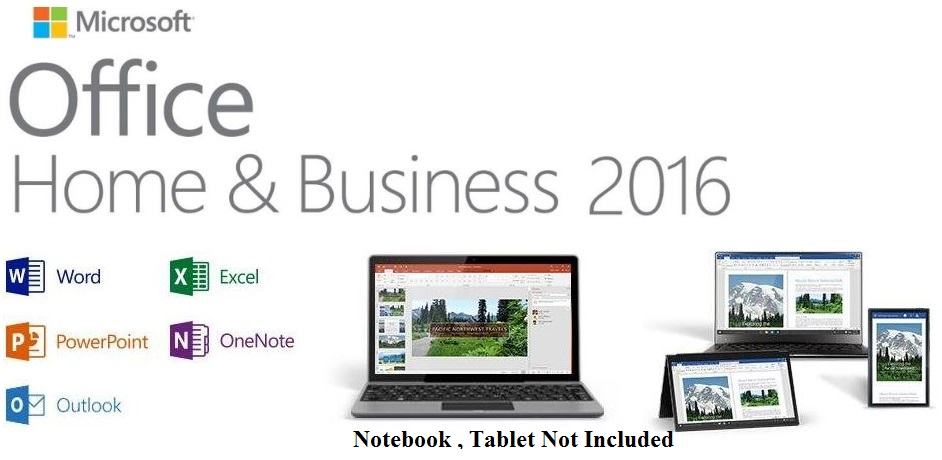
The Microsoft Office Home & Business 2016 is designed to help you create and communicate faster with time saving features, a new modern look, built-in collaboration tools, and the power of Outlook for email, calendars and contacts. Plus, you can save your documents in the cloud on One Drive and access them from anywhere.
Your Office away from home
Free Office Online sync with your One Drive account, so you can access, view, edit and share your documents, photos and other files from any Internet-connected device running a supported browser.
All-new Office 2016 applications
Microsoft Office 2016 comes fully loaded with the latest and greatest versions of your favorite applications: Word, Excel, PowerPoint, and OneNote. All the tools you know and love, only better.
Tools to boost productivity
You don’t need to be a power-user to harness the power of Office 2016. The applications are packed with smart tools that make maximizing productivity a breeze.
Made for teamwork
Built-in collaboration tools enable you to co-author, share and edit documents with ease in Word, PowerPoint, or OneNote. Work on the same doc simultaneously whether you’re in the same room or across the globe.
Full, installed Office 2016 versions of Word 2016, Excel 2016, PowerPoint 2016, OneNote 2016, and Outlook 2016
For 1 PC (Windows 7 or later, home use)
Easily save your documents online with free One Drive online storage, available for all One Drive users
• NOTE: Does not include Publisher or Access


•One-time purchase for 1 PC or Mac
•Classic 2024 desktop versions of Word, Excel, PowerPoint, Outlook, and OneNote
•Access to support resources
•Compatible with Windows 11, Windows 10, or macOS*
•Works with Microsoft Teams

TSMicrosoft 365 Personal Edition Copilot No Package, DSP , No Warranty on Software
Product Overview
The Microsoft 365 Personal Edition with Copilot offers a comprehensive subscription for seamless productivity across PC, Mac, iOS, and Android devices. This package includes premium Office applications, and advanced security features, all designed to enhance user experience and efficiency. With AI-powered tools like Copilot, users can streamline tasks and optimize their workflow, making it an ideal choice for personal and home office use.
Grants Access to
•Word: For document creation and editing.
•Excel: For spreadsheet management and data analysis.
•PowerPoint: For creating presentations.
•Outlook: For managing email, calendar, and contacts.
•OneNote: For note-taking and organization.
•OneDrive: Provides 1 TB of secure cloud storage for storing and sharing files.
•Microsoft Defender: Offers advanced security features for personal data and devices.
•Clipchamp: A video editing tool for creating professional-looking videos.
•Designer: An AI-powered design tool for creating visual content.
Features
•For One Person: Designed for individual use, allowing access on up to five devices simultaneously.
•Cloud Storage: Includes 1 TB of secure cloud storage with OneDrive.
•Productivity Apps: Features the latest versions of Word, Excel, PowerPoint, Outlook, and more, with AI-powered tools like Microsoft Copilot.
•Security: Offers advanced security features, including Microsoft Defender for personal data and device protection.
•Cross-Platform Compatibility: Works on PCs, Macs, iOS, and Android devices.
•Support: Includes ongoing support via chat or phone.
Recommended Requirements:
Computer and processor
•PC: 1.6 gigahertz (GHz) or faster, 2-core
•Mac: Intel processor
•Android: ARM-based or Intel x86 processor
•iOS: N/A
Operating System
•PC: Windows 11, Windows 10, Windows 8.1
•Mac: The three most recent versions of macOS
•Android: The last four major versions of Android
•iOS: The two most recent versions of iOS
•For the best experience, use the latest version of any operating system specified above
Memory
•PC: 4GB RAM
•2GB RAM (32 bit)
•Mac: 4 GB RAM
•Android: 1 GB
Hard Disk
•PC: 4.0 GB of available disk space
•Mac: 10 GB of available disk space. HFS+ hard disk format (also known as Mac OS Extended or APFS)
Display
•PC: 1280×768 screen resolution
•Mac: 1280×800 screen resolution
Graphics
•PC: Graphics hardware acceleration requires DirectX 9 or later, with WDDM 2.0 or higher for Windows 10 (or WDDM 1.3 or higher for Windows 10 Fall Creators Update).
•.NET version
•Some features may require .NET 3.5 or 4.6 and higher to also be installed
•Mac: No graphics requirement
- 1